PROGRAMMING COURSE FOR CHILDREN AGED 7 AND UP

Scratch

INDIVIDUAL LESSONS WITH A TEACHER, ONLINE

Your child will learn the basics of coding through play – creating their own programmes and games in Scratch by dragging blocks like LEGO bricks.

Try a free lesson
  • Individually with a teacher
  • Suitable for beginners and experienced kids
  • 55-minute lessons
  • For children aged 7+
  • At a convenient time for the student
  • Experienced teachers
  • From a PC or a laptop
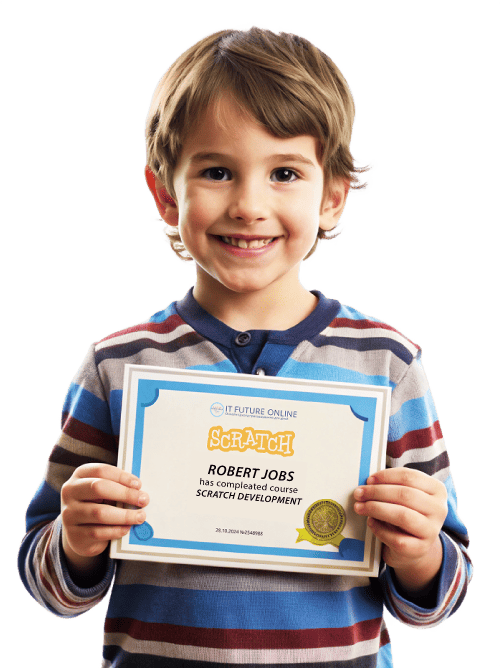
  • Certificate of completion

What’s Scratch all about?

Scratch is a programming language for kids that allows for creating animated and interactive games, presentations, websites, and programs for smartphones. Visually Scratch looks like playing with a Lego meccano set, that is, it’s simple and easy to understand. It is the perfect choice as the first programming language.

Why is Scratch the perfect choice?

Learning programming languages is no easy task for an adult, let alone children who find commands and algorithms a very incomprehensible thing. The scientists from the Massachusetts Institute of Technology (USA) have developed visual software where programming is done with the aid of color blocks. This software is ideal for beginning to learn programming.

Let your child make the first step towards programming and get a high-paying profession in the future with a salary starting from $3,000.

WHO IS THIS COURSE FOR?

For creative kids

Learning Scratch helps children develop creativity, think analytically, spot mistakes, and find fun, imaginative solutions to complex problems.

For beginners and experienced learners

This course is perfect for those who are just starting their journey into IT, as well as for kids who already have some experience and want to boost their skills even further.

For kids who love coding

We support your child’s passion and teach them how to create exciting games with enemies, storylines, and surprising twists.

FOR THOSE WHO WANT TO PLAY AND LEARN

This course combines fun and learning, turning games into an amazing opportunity to discover programming and design in an engaging way.
Unique author-designed program
from simple to advanced

This Scratch learning program is designed to help children from 7 years old master the basics of programming in a fun and creative way — by creating their own games and animations with lots of hands-on practice.

Module 1:

Introduction to Scratch and the basics of programming

  • 1.1 Getting to know the scratch.mit.edu website: how to sign up and save projects.
  • 1.2 Interface overview: stage, blocks, sprites, costumes, and scripts.
  • 1.3 Practice: creating your first sprite and moving it with sound.
  • 1.4 Changing costumes to create movement effects or show emotions.
  • 1.5 Practice: your child creates a game with a score based on clicks or touches.
Module 2:

Controlling characters and creating events

  • 2.1 Movement blocks: “move 10 steps,” “turn,” “forever.”
  • 2.2 Connecting actions to keys: “when up arrow pressed,” “down,” “left,” “right.”
  • 2.3 Practice: creating a game where the character collects apples as fast as possible.
  • 2.4 Adding logic: press a button to start, stop, or restart the game.
  • 2.5 Practice: designing a custom game menu with “Play,” “Instructions,” and “Exit” buttons.
Module 3:

Conditions and loops

  • 3.1 The logic of conditions: if the character touches an object, change the background / sound / stage.
  • 3.2 Learning the “if... then... else” block.
  • 3.3 The “forever”, “repeat 10 times”, “wait 1 second” blocks.
  • 3.4 Practical work: creating movable obstacles (such as meteorites falling from above).
  • 3.5 Practical work: a game with three lives and passing on to the next level after survival.
Module 4:

Variables and increasing the game’s complexity

  • 4.1 Creating variables for the score, time, and lives.
  • 4.2 Displaying variables on the screen.
  • 4.3 The Level variable: increasing the complexity after a certain score is achieved.
  • 4.4 Changing the opponents’ speed or the number of objects.
  • 4.5 Practical work: creating a full-fledged game with multiple stages and score.
Module 5:

The final project and presentation

  • 5.1 Discussing the idea: the game's type, goal, and main character.
  • 5.2 Composing the game algorithm on a sheet of paper / as a schematic block diagram.
  • 5.3 Programming of all the parts: motion, conditions, variables, transitions.
  • 5.4 Testing the game: identifying and correcting errors.
  • 5.5 Making up a short story: the name of the game, what it is about, how to play.
  • 5.6 Demonstrating the game to other students or parents.
  • 5.7 Downloading the game to the Scratch website with a link for friends.

SOME INSPIRING EXAMPLES OF OUR STUDENTS’ WORKS

ARSEN
10 y.o

Game "Aliens Invasion"

ARTUR
9 y.o.

Making a crab

DEMETRI
8 y.o.

Arkanoid

DEMETRI
8 y.o.

Hunting

PETER
10 y.o.

Among Us

CYRIL
9 y.o.

Cat Battle

JONATHAN
8 y.o.

New Year

AFTER COMPLETING THE COURSE, THE CHILD WILL GET:

Their own ready-to-play games

Your child will learn the basics of programming using the visual language Scratch and create over 8 unique games on their own.

Programming skills

They will master key programming concepts like sequences, loops, conditions, variables, and events — all in a simple and visual environment.

Creative thinking

Scratch sparks imagination: your child will learn to invent characters, create storylines, and turn ideas into interactive projects.

Self-confidence

The creation of a completed project will give your child the feeling of achievement and enhance their confidence in their own abilities.

Logical thinking

Learning algorithmic thinking helps children solve problems step by step and understand cause-and-effect relationships.

A first step into IT

Scratch is the perfect introduction to coding. Your child will gain a strong foundation that makes it easier to learn any other programming language in the future.

ENROLL YOUR CHILD
FOR A FREE
TRIAL LESSON
  • Your child will create their own project
  • The teacher will assess their skills and prepare a personalized learning plan
  • 55 minutes
    Price: $0

Fill out the form to register

HERE’S HOW THE TRAINING GOES:

INDIVIDUALLY WITH A TEACHER

The student learns individually with a teacher, can choose the number of classes per week and the convenient timetable for themselves. The teacher will not be changed during the training

Online from anywhere

Lessons are held online via Zoom or Google Meet, so your child can learn comfortably from any corner of the world.

STUDENT’S CABINET

All the classes are conducted in the personal cabinet where the student can ask questions and monitor their progress

Full support and guidance

The teacher can see your child’s screen in real time, draw or write directly on it to explain topics clearly and help fix mistakes immediately.

Easy tech setup

All you need is a computer or laptop with a stable internet connection. That’s it — no complicated setup!

OUR TEACHERS
отзыв

MICHAEL

  • Software engineer, specialist in technologies and creative solutions
  • Game developer in Roblox and Construct
  • Expert in Photoshop and digital design
  • Programmer with Python experience
  • I help children master the ІТ field through practical projects
Software engineer, specialist in technologies and creative solutions
Game developer in Roblox and Construct
Expert in Photoshop and digital design
Programmer with Python experience
I help children master the ІТ field through practical projects
отзыв

ELIJAH

  • 5 years of experience in web development, full-stack (JS/Python)
  • Magister degree from the KPI
  • 4+ years of teaching experience, Individual approach to everyone
  • I develop training programs for efficient and interesting studying of programming
5 years of experience in web development, full-stack (JS/Python)
Magister degree from the KPI
4+ years of teaching experience, Individual approach to everyone
I develop training programs for efficient and interesting studying of programming
отзыв

GEORGE

  • Learned video montage at the age of 13
  • Have been teaching for over 2 years
  • Have taken more than 15 courses
  • Worked as a montage maker for many bloggers
  • Wrote my own course in video montage
Learned video montage at the age of 13
Have been teaching for over 2 years
Have taken more than 15 courses
Worked as a montage maker for many bloggers
Wrote my own course in video montage
отзыв

SERGIO

  • More than 5 years of experience in the field of video montage and post-production
  • A degree from the Dragomanov NPU
  • 4 years of teaching experience, I know how to get both beginners and those with some experience interested
  • I help students create real video projects: from the idea to the finished clip
More than 5 years of experience in the field of video montage and post-production
A degree from the Dragomanov NPU
4 years of teaching experience, I know how to get both beginners and those with some experience interested
I help students create real video projects: from the idea to the finished clip
отзыв

EUGENE

  • Developer of applications, websites, and bots with a 1-year experience
  • 2 degrees (Bachelor’s and Master’s in Automation and Computer Integrated Technologies)
  • 3+ years of teaching Python programming to children
Developer of applications, websites, and bots with a 1-year experience
2 degrees (Bachelor’s and Master’s in Automation and Computer Integrated Technologies)
3+ years of teaching Python programming to children
отзыв

VALERIE

  • Freelance 3D characters artist
  • Teacher of 3D design Blender
  • Private English tutor
  • University degree and 5+ courses in different directions of ЗD and drawing
Freelance 3D characters artist
Teacher of 3D design Blender
Private English tutor
University degree and 5+ courses in different directions of ЗD and drawing
STUDY ONLINE
INDIVIDUALLY WITH A TEACHER
LEARN AT YOUR OWN PACE
PERSONAL TUTOR
CONVENIENT SCHEDULE
HIGH MOTIVATION
RAPID PROGRESS
Receive a
CERTIFICATE
after completing the course

Upon completing the Programming in Scratch course, your child receives a certificate that will, together with the projects implemented, find its rightful place in the future programmer’s portfolio

Why parents choose our school

We carefully select every teacher. Each candidate goes through several interview stages, and only 1 in 7 is chosen to join our team.

All lessons are one-on-one with a dedicated teacher. This means every child gets maximum attention, learns at their own pace, and fully understands the material — without distractions or pressure from other students.

94%
of students continue studying after the trial lesson
98%
parents have recommended us to their friends and family members
  • since 2015
    WE’VE BEEN TEACHING KIDS
  • 7 500+
    STUDENTS HAVE COMPLETED our courses
  • 510 460+
    classes CONDUCTED
FEEDBACK FROM OUR STUDENT PARENTS
SPEAKS FOR ITSELF
See more reviews in Google:
4.9
See more reviews in Facebook:
4.7
REGISTER FOR A TRIAL LESSON
RIGHT NOW
  • You: Will see how online learning goes
  • We: Will get your child interested in programming
  • Your child will create their first project
Free
first trial lesson
first trial lesson

Fill out the form to register

FREQUENTLY ASKED QUESTIONS:
Is the trial lesson a general overview of all subjects?
We are honest with our students. The trial lesson is conducted by your future teacher, not a sales manager. That’s why during the trial lesson, your child will explore one chosen learning direction in depth — not all subjects at once.
How does the trial lesson work?
The trial lesson lasts 50 minutes. First, your child meets the teacher and gets to know them in a friendly, welcoming atmosphere. The teacher introduces Scratch, explains the learning program, shows exciting example projects, and then they create a small mini-project together. The trial lesson is completely one-on-one with the teacher. We recommend that one of the parents be present during the lesson.
Who are our teachers?
Our teachers are experienced IT specialists and professional programmers who have been carefully selected to work at our school. Only one of 7 candidates becomes a teacher at our school.
What is the price of the lessons?
The cost depends on the chosen course and subscription plan. Book a trial lesson, and our team will explain all the pricing details, discuss available options, and help you find the best solution for your child!
What is required for studying?
Everything is simple! For your studies you will need a laptop or PC with Internet access. But even if you don’t have a PC, some courses can be taken on a tablet.
Discover other coding courses
aged over 9 years old
We’ll help your child master Roblox Studio, learn the Lua programming language, and build their own games!
aged over 9 years old
Your child will learn to develop 3D games from scratch – from concept and design to programming and building realistic virtual worlds.
aged over 7 years old
Minecraft Education for children is an innovative learning programme that uses the well-known video game as a powerful teaching tool.
aged over 7 years old
Your child will dive into the exciting world of AI and GPT chat – creating their own games, images and music… and much more.
Details

🧠Online Scratch Programming course for kids 7-14 years old – a successful start

💻IT technology has taken over the world. If your child is interested in computers – do not get in the way, but adjust their trajectory.

We show them why they need a computer, teach them the basics of programming and give them a head start in the IT world.


What is SCRATCH?
🕹️Scratch is a programming language for kids, enabling them to create animated and interactive games, presentations, websites and smartphone applications.

🎲Visually, Scratch resembles a game with a Lego constructor, hence simple and easy to understand.

💡Ideal as a first programming language.


Why SCRATCH?
📚Learning programming languages is no easy task for an adult, let alone for children for whom commands and algorithms are a mystery.

🔬 Scientists at the Massachusetts Institute of Technology (USA) have developed visual software programmed using coloured blocks.

✅It’s the perfect software to start exploring programming.


🎓What is the result of learning?

Your child will master the fundamentals of Scratch programming and learn:

  • algorithms
  • variables
  • loops
  • sprites and many others.

As a result, your child will learn to:


📱create apps for smartphones;
🕹️Program browser games;
🔢Solve software and mathematical problems.
💼Let your child take the first step in the program and get later on a high-paying profession with a salary of $ 2000-6000.


👨‍🏫 Teaching is individualized. 100% of the time, the teacher devotes only to your child.

🎁The first lesson is free! Show your child that programming is better than playing!


🌱 Why Start Young?

🌟Geniuses are not born. You have to create the conditions for creative growth from childhood.

🎯A Scratch for Kids course in the form of a game will channel admiration in the right direction.

🧠Your child will learn how to use the computer beneficially.

🎮Video lessons will help them immerse themselves in the magic of the game world.

💭And most importantly, from junior high school, a child will learn to reason systematically and accurately. And these skills are sure to come in handy.


Scratch is a programming platform that fosters creativity. The course is designed to teach basic programming concepts and will support the choice of an IT career. Your child will play and understand how to create a game from Scratch. The result is a good time for the child and a few hours of peace of mind for the parents.

🎨 Features of Scratch:


🖼️Scratch is a visual programming language.

🌍Available in 150 languages worldwide.

🎮It was founded to form an exciting space for your games.

🎧Derives its name from the technique of scratching.

👦Scratch lessons are ideal for teenagers.

✨This method allows you to see results immediately.


🌐More than 20 million users visit the Scratch resource every month.

It also:

  • In addition to animations, it provides the opportunity to build multimedia support for lessons.
  • It allows complex concepts to be narrated dynamically.
  • Therefore, you can use it in school classes.
  • Users can add and share within the system.
  • You can copy someone else’s file and add changes.
  • It is the main advantage of Scratch.

💡Benefits of learning Scratch for children

🧒The Scratch programming environment is designed specifically for young programmers.

🧠According to the developers, it develops creative and critical thinking.

🎯Having mastered the basics of the platform, a teenager understands that programming is an exciting and fun process.

On Scratch for kids:

❌one does not need to learn the syntax rules of an artificial language;
🎭you can create interactive stories and animations;
💭master algorithms and programming at a professional level;
📐accessible construction of geometric objects;
🎨find ready-made visual components.


Scratch contains no code. The programme consists of blocks like a Lego constructor

This visual environment.It is what is recommended for an exciting journey into the world of information technology:

Scratch for children relies on associative perception on associative perception. It means the same task is demonstrated with several examples. Constant repetition makes it possible to understand why a particular module works the way it does.

Younger pupils find it hard to absorb much new information.

  • Visual programming eliminates the chance of error and makes it possible to memorise the functionality of the blocks.
  • The latter is depicted as puzzles in different colours. It makes it even easier to remember.
  • The whole process comes down to a quality game, where you need the correct puzzle to be completed. It is the only way to achieve the goal.

📘What is learned in the course?
The “Scratch for Kids” course covers the basic concepts.It includes:

  • 📖 Theoretical foundations

  • 🛠️ Practical application

At early stages, students:

  • 👾 Develop simple games

  • 🎯 Practice dragging blocks and typing

  • 🔁 Work with similar programs to build memory of functionality


What is learned in the course?

The learner will practise dragging and dropping blocks and typing. All the programs are similar. Therefore, the kid will memorize their functionality. Gradually more complex tasks will be performed. But the variables, algorithms and conditions will remain the same.


👨‍💻Studying the course Scratch Online in Ukrainian the young programmer:

  • ✅ will see the algorithms in action;

  • 📚 receive a knowledge base that will be useful in the future;

  • ⚙️ master the principles of development (changeable, conditional operators);

  • 🧠 learn the basics of Scratch;

  • 🎮 work on their own project.


👶Who is this course for?
It is possible to start studying Scratch from 7-8 years old. The course is designed for inexperienced designers and builders. Children will gain experience with technology, which will be necessary for life, and knowledge of Scratch will help them gain a desirable profession.


🏁What results will be achieved?

✅Students will learn the basics of computer literacy.

✅They will acquire skills in the Scratch environment.

✅Understand the basic terminology and structure of block languages.

✅Distinguish the advantages and disadvantages of using different model mechanisms.

✅🎮At the end of the course, some of their own interactive games will be created.


🎓 Why Choose IT FUTURE?

IT FUTURE offers professional Scratch courses. We:

  • 💡 Teach core programming concepts

  • 🎯 Help kids choose their direction in tech

  • 🧠 Focus on complete beginners

  • 🧑‍🏫 Provide 1-on-1 online lessons for maximum focus

  • 💻 Use interactive video sessions for better learning

Scratch is not just for playing – it’s a path to real skills.
🎁 We help your child understand that.

👉 Sign up for a free lesson today and open the door to the IT world for your child!

More